
Two new flyGarmin connections give aircraft owners more choices for using flight data after each trip.
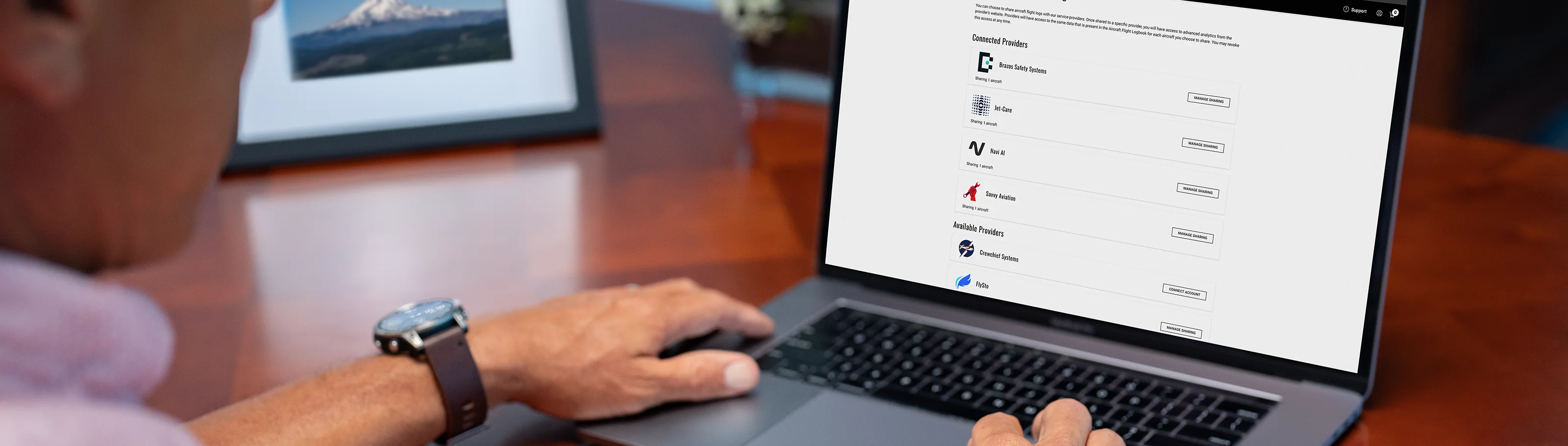
Garmin has added Class A and Coflyt to the analysis services that can receive compatible aircraft flight logs through flyGarmin. The update broadens the ways owners can use recorded flight data without changing who is responsible for maintenance or airworthiness decisions.
What Garmin announced
Garmin now lists Class A and Coflyt among the analysis services that can connect with aircraft flight logs stored on flyGarmin. Once a compatible log is in flyGarmin, the aircraft owner can use the Logbook sharing setting to choose an analysis provider. Garmin says selected services can then receive future logs automatically.
Class A describes its integration as a flight-data connection supporting its Flight Operations Quality Assurance tools and Virtual Flight Department resources. Coflyt brings the data into its aircraft-management platform, where owners can organize items such as inspections, maintenance, airworthiness-directive tracking, squawks, scheduling and aircraft use. The provider — not flyGarmin alone — determines the features, account terms and any decisions made from the data.

*Class A and Coflyt are the two newly listed analysis providers. Logos shown are the official provider artwork published on Garmin’s Aircraft Flight Logs page; this image does not depict RWAS customer data or an integration test.*
How flight logs reach flyGarmin
The sharing integration starts only after flight logs reach flyGarmin. Garmin identifies several upload paths, and the correct path depends on the installed equipment:
- A GDL 60 can upload compatible flight and engine-indication data after flight when the aircraft has an active PlaneSync plan and an available LTE or Wi-Fi connection.
- A Flight Stream 510 can move data through a mobile device running Garmin Pilot and upload it after the device reconnects to the internet.
- Compatible AXIS Flight Displays, G3X Touch displays and GI 275 instruments can transfer supported flight or engine data to Garmin Pilot by Connext, followed by cloud storage when an internet connection is available.
This is not a claim that every Garmin-equipped aircraft works with GDL 60 or every data field is available. Garmin’s current compatibility list includes selected integrated flight decks and several display, navigator and instrument families, with equipment-specific qualifications. Aircraft configuration, installed software and connectivity still matter.
What this means for aircraft owners
The practical change is choice: owners with compatible data in flyGarmin can evaluate two additional destinations for that data. The integrations may reduce manual transfer steps after setup, but they do not perform aircraft maintenance, establish airworthiness, replace required inspections or guarantee an insurance outcome. Owners and their authorized maintenance providers remain responsible for reviewing records and acting on any findings.
Before enabling a connection, review the provider’s current terms, privacy practices and feature availability. Garmin’s public page explains the supported avionics families, upload methods and integration workflow; each provider should be consulted for its own service details.
Planning a connected-aircraft setup
If you want flight logs available in flyGarmin, RWAS can review the installed avionics, identify a supported transfer path and discuss whether a connectivity upgrade makes sense for the aircraft and mission. Compatibility should be confirmed for the specific airframe and panel before equipment is purchased or installation work is scheduled.